Guide
How to collect every wedding guest's photos.
One place, one link, nothing for your guests to download. Updated 26 September 2026.
The short answer
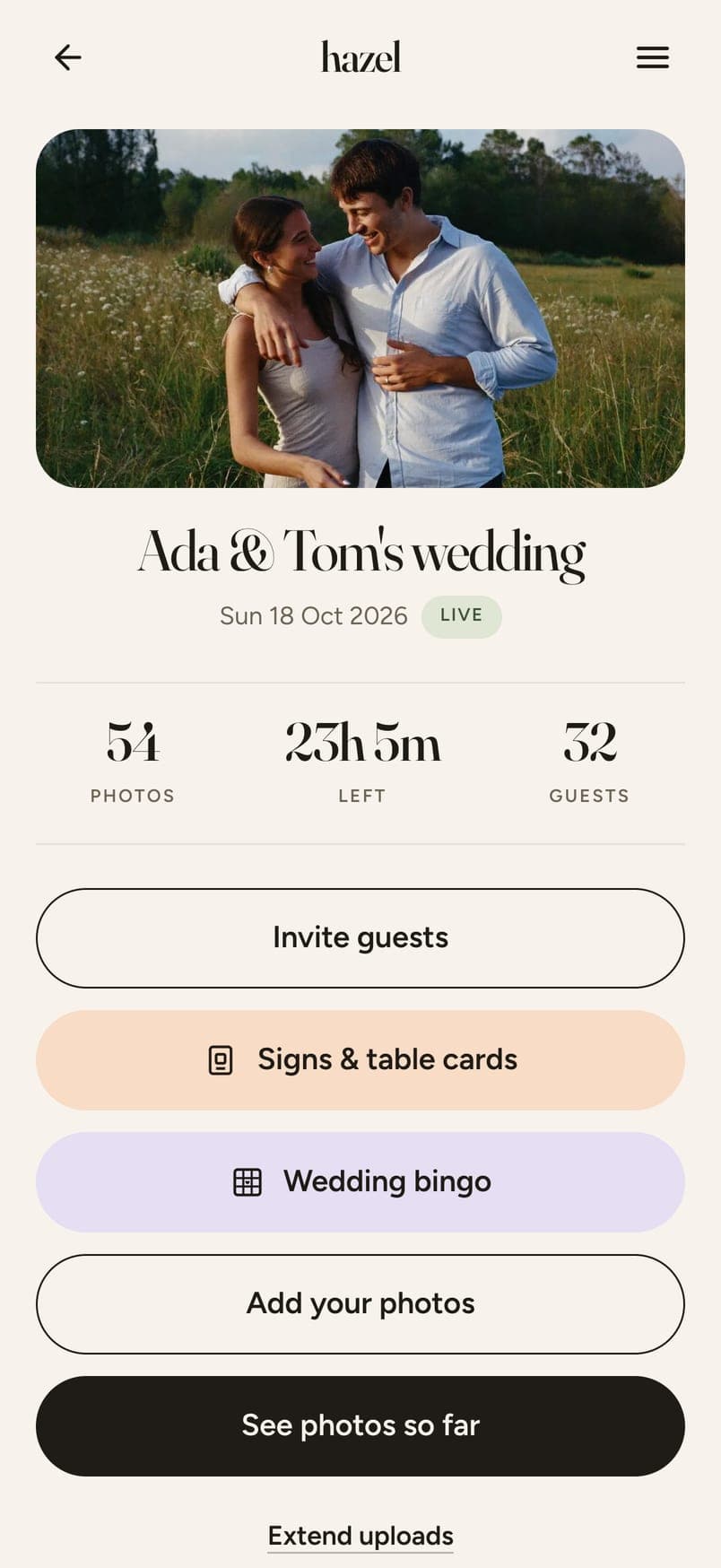
Photos from your wedding end up spread across every guest's phone, then get passed around between people and group chats. A QR code is simpler and more organised. To collect your guests' photos, create your wedding's Album, then share the link with guests or download and print the QR code. With hazel that page is your wedding's own: guests add photos from their phone's browser, with no account and nothing to download. At the end of your wedding you check each photo before the Album is shared with your guests automatically. You also get a link to share with friends and family who couldn't be there on the day.
The easiest way in is a wedding QR code for photos on every table, and your guests don't need an app to use it.
Why photos go missing.
The download.
Ask a guest to install something and half of them won't. The photos stay on their phone.
The wrong moment.
The invitation is months too early, and the week after is too late. People share when they're asked, at the table, with the photo still on the screen.
No one place.
A WhatsApp group, a shared album for the iPhones, a hashtag: three places, and three lists of who got left out.
The usual ways, side by side.
Shared iCloud or Google album
- Works on every phone
- Needs the right account
- Full quality
- Yes
- Guests check first
- Yes
- You choose what's shown
- No
- Nothing to download
- Often an app
WhatsApp group
- Works on every phone
- If they have it
- Full quality
- No, compressed
- Guests check first
- Yes
- You choose what's shown
- No
- Nothing to download
- Yes
Disposable camera apps
- Works on every phone
- Yes
- Full quality
- No, taken in the browser
- Guests check first
- No
- You choose what's shown
- Sometimes
- Nothing to download
- Yes
A page with a QR code (hazel)
- Works on every phone
- Yes
- Full quality
- Yes
- Guests check first
- Yes
- You choose what's shown
- Yes
- Nothing to download
- Yes
Full quality means the photo arrives at the size the phone took it. Guests check first means nothing goes without the guest seeing it.
The plan.
Before
- Make the event. It takes five minutes.
- Print the code for the tables, small, next to the menu.
- Tell whoever is doing the speeches to mention it once.
- Put the link in the group chats the week before, or email guests with the link.
On the day
- The code on every table and one sign at the bar.
- One line after the speeches: “add your photos before you leave.”
- That's it. Guests add from their camera roll while they wait for dessert.
After
- Some guests will still upload photos the next morning, so it's best to keep uploads open into the next day.
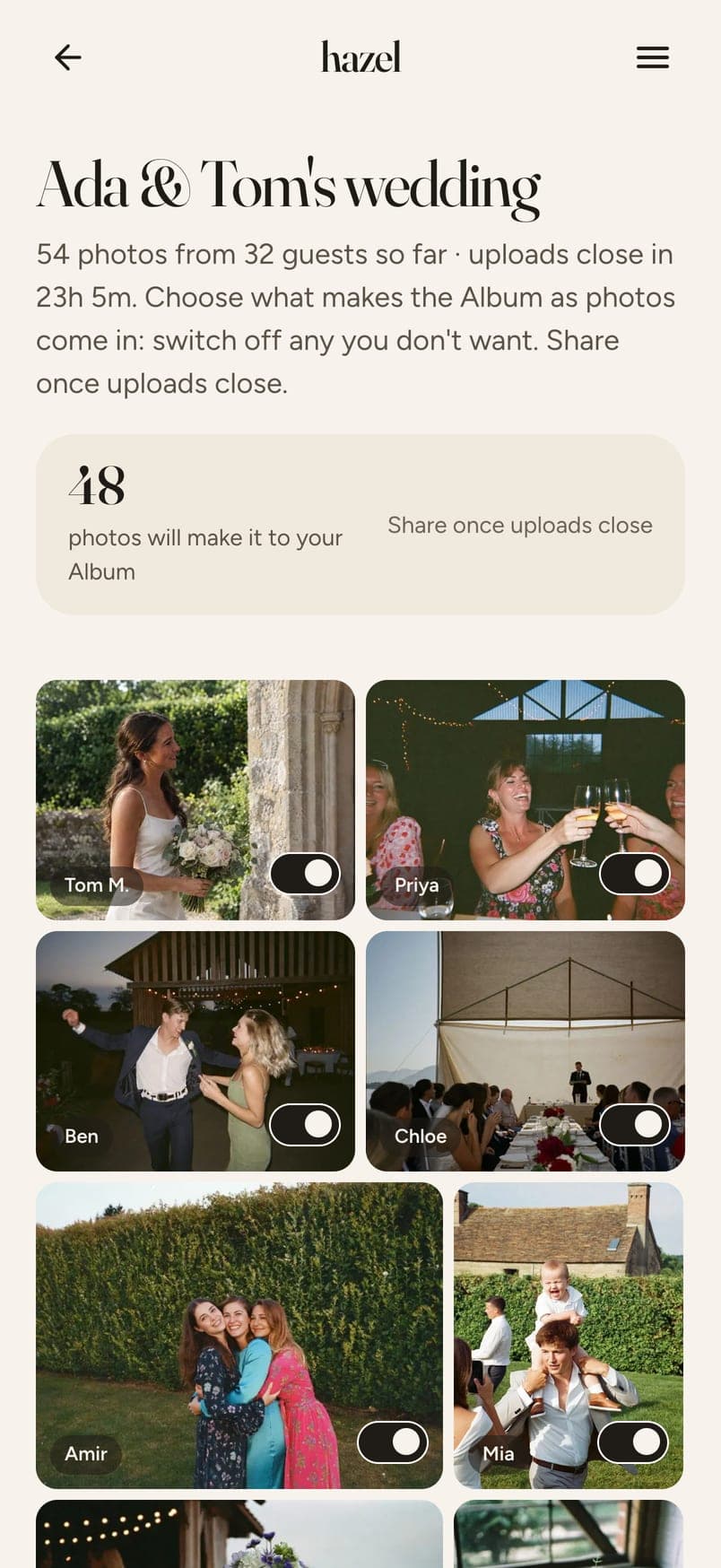
- Go through them: one feed, one switch per photo.
- Share the Album with everyone, including the people who couldn't be there.
What arrives.
Photos land on your page as guests add them, with a count and the time left. When uploads close you go through them once and switch off anything you'd rather not share. hazel sends one link to all your guests automatically once the Album is shared. Every photo is the full quality the phone took it at. No compression.
What it costs.
Free for up to 6 guests. $4.49 for up to 20, $12.99 for up to 40, $19.99 for up to 60, $32.99 for up to 100 and $64.99 for up to 200. Paid once, no subscription. Every guest gets 12 photos included; more photos and video clips are optional extras.
Questions
Will guests actually bother?
Yes, if it's easy and they're asked. A code on the table and one mention after the speeches does it. Anything that needs an account or a download loses about half of them.
What about guests without an iPhone, or without WhatsApp?
The page opens in any phone's browser, so it makes no difference what phone they have or which apps are on it.
Do I get the originals?
Yes. The photo that arrives is the one the phone took, at the size it took it. You can download everything in one go.
Can guests add videos?
Yes, if you add video when you set up. Clips of up to 60 seconds, and they play on any phone afterwards.
What if someone uploads a photo I don't want shown?
Nothing is shared until you've been through it. One switch per photo, and only what's on makes the Album.
How long are the photos kept?
A year from the end of your wedding, with reminders before, and you can download everything at any time. Keeping them for another year is a one-off payment.
Start collecting your wedding's photos.
Five minutes to set up. Priced by how many guests you have.
Create your eventMore