Guide
Disposable camera apps for weddings, and the full-quality alternative.
How disposable camera apps work, and what hazel does differently. Updated 16 October 2026.
The short answer
A disposable camera app gives wedding guests a camera on their phone: they scan a QR code, take a set number of shots, often with a film-style filter, and the photos usually stay hidden until a reveal the next day. Guests don't need to download anything, but each photo is taken through the browser at a lower quality than the phone's own camera, and it uploads the moment it's taken. hazel works differently. Guests scan a code or tap a link, use their phone's own camera or their camera roll, see each photo before it uploads, and every photo arrives at full size. You choose between 3 and 30 photos per guest, add video if you like, and nobody sees the Album until you share it.
For the fun of a disposable camera with full-size photos, try wedding photo bingo, a card of shots for guests to hunt. Or see hazel and a disposable camera app side by side.
How disposable camera apps work.
A camera in the app.
Guests scan a code and a camera opens, in the browser or an App Clip, with nothing to download. Each shot is taken in that camera and goes straight in, with no chance to look first.
A few shots, a filter.
Each guest gets a set number of shots, and many add a film-style filter to every photo.
The reveal.
Often nothing is seen on the night. The whole roll appears at once, the next day or at a time the host sets.
Side by side.
How guests take photos
- Disposable camera apps
- The app's own camera; some allow the camera roll
- hazel
- The phone's own camera, or the camera roll
Photo quality
- Disposable camera apps
- Taken in the app's camera, often filtered; size rarely stated
- hazel
- Full size, exactly as the phone took it
Guests check before it goes
- Disposable camera apps
- No, it uploads as it's taken
- hazel
- Yes, every photo
You choose what's shown
- Disposable camera apps
- Not before guests see it; delete afterwards
- hazel
- Yes, before anyone sees it
Photos per guest
- Disposable camera apps
- Usually 3, 6, 12, 24 or 36, the host chooses
- hazel
- 3, 6, 12, 20 or 30, the host chooses
Video
- Disposable camera apps
- No
- hazel
- Yes, as an optional extra
How guests get the link
- Disposable camera apps
- A QR code
- hazel
- A QR code, WhatsApp or iMessage, or email invites sent automatically
How disposable camera apps generally work; features differ from one app to the next.
What hazel does differently.
Full-quality photos
- Guests use their phone's own camera, or pick from their camera roll.
- Every photo arrives at the size the phone took it, with no filter added.
- Short video clips too, as an optional extra.
Checked twice
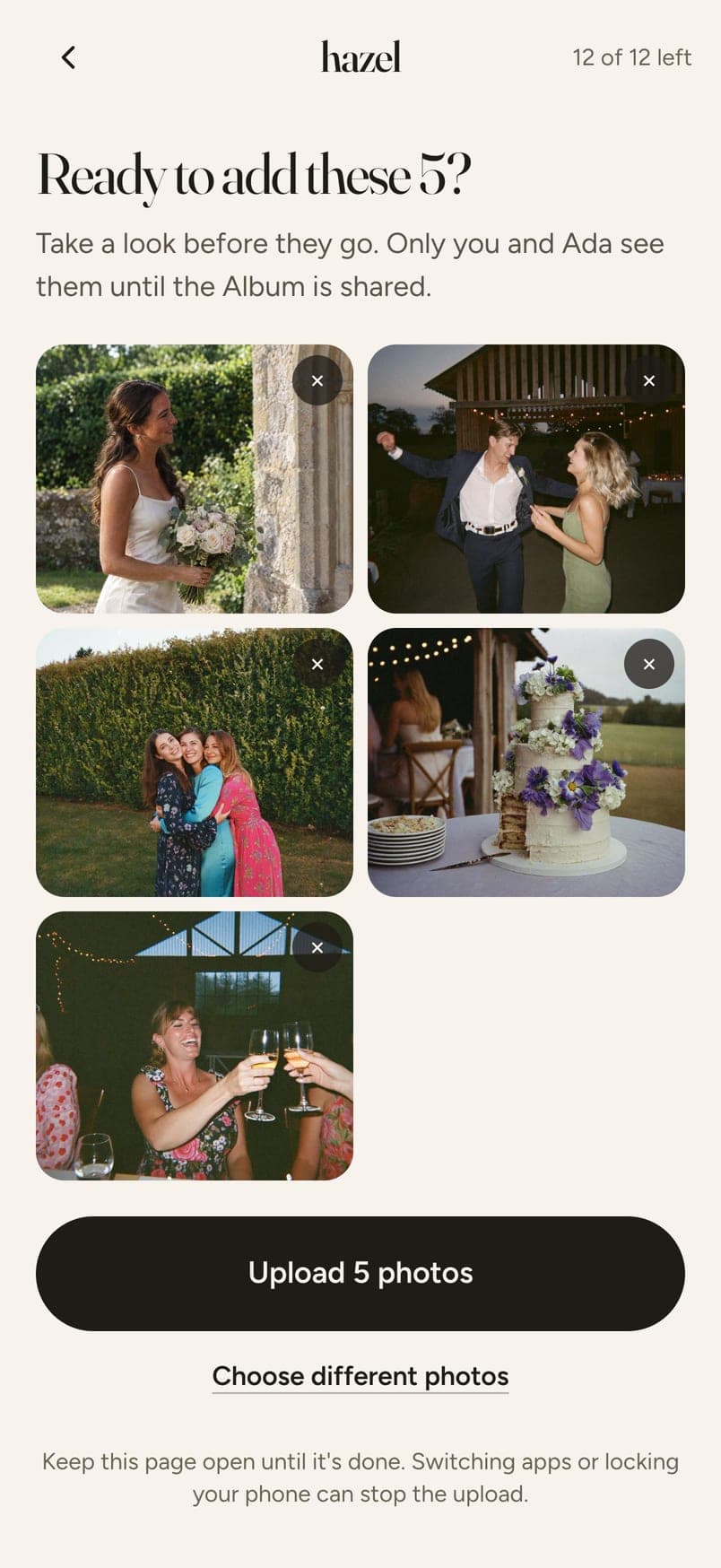
- Guests see each photo before it uploads, so nothing goes by mistake.
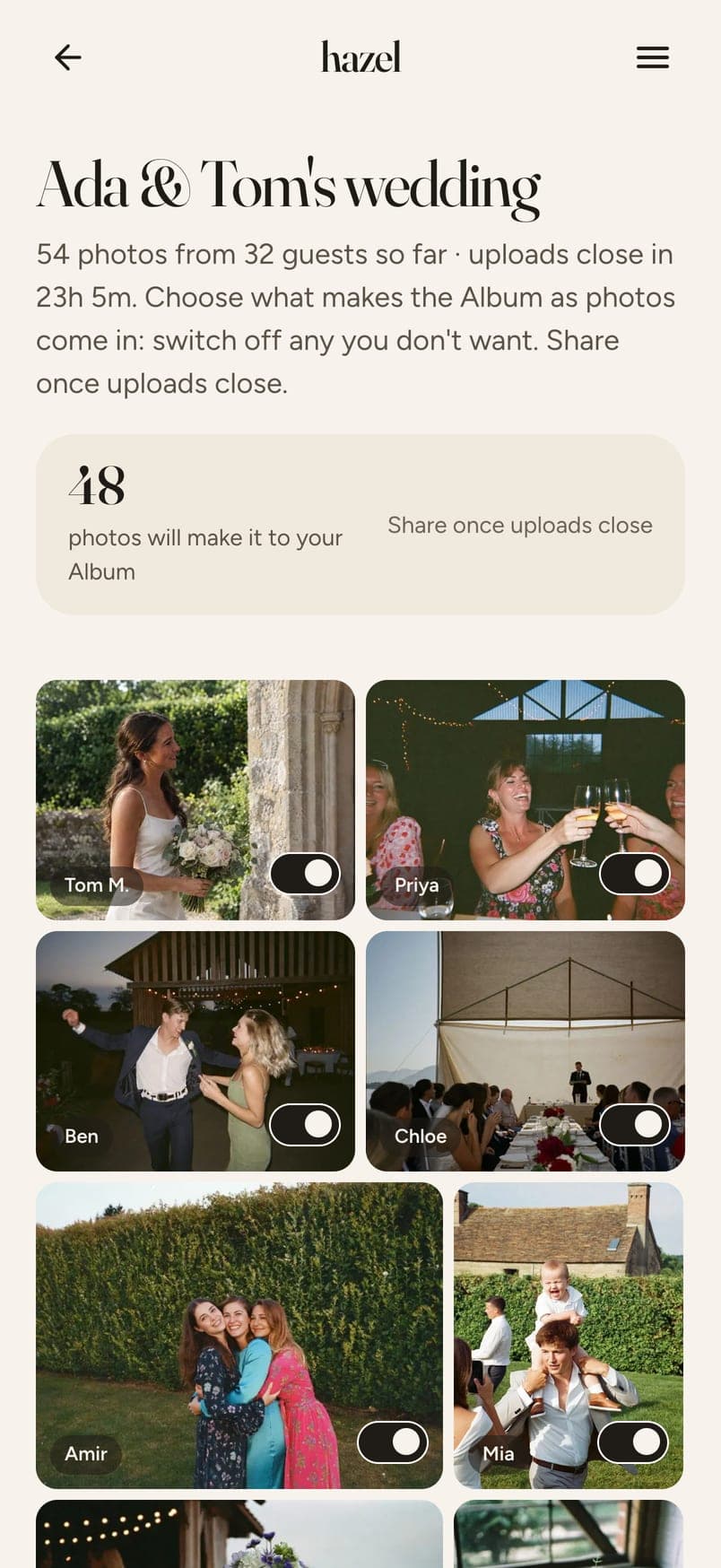
- Then you go through everything, one switch per photo, before anyone else sees it.
- Keep the reveal: guests only see their own photos until you share the Album.
Invites that arrive
- Add guests' emails and hazel sends each of them an invite.
- Everyone who has joined gets a reminder on the morning of the day.
- Or send the link by WhatsApp or iMessage, and put the QR code at the wedding.
What your guests see.
Guests scan the code or tap the link, and a page opens in their phone's browser, with nothing to download. They add photos from their camera roll or take one with the phone's own camera, and see each one before it's shared. You also get a link to share with people who didn't attend.
What it costs.
Free for up to 6 guests. $4.49 for up to 20, $12.99 for up to 40, $19.99 for up to 60, $32.99 for up to 100 and $64.99 for up to 200. Paid once, no subscription. Choose 3, 6 or 12 photos per person at no extra cost; 20 or 30 each and video clips are optional extras.
Questions
Do guests need to download an app?
No. The QR code or link opens a page in their phone's browser. Nothing to install, no account to make.
How many photos can each guest add?
You choose when you set up: 3, 6, 12, 20 or 30 each. Up to 12 is included in the price; 20 and 30 are a small extra. Guests see how many they have left.
Can we keep the photos hidden until after the wedding?
Yes. Guests only see their own photos until you share the Album. Share it the morning after and everyone sees the day at once.
Is there a film filter?
Only if you want one. After you've chosen the photos, pick one look for the whole Album: Original, Vintage Matte, Golden Hour or Clean Editorial, and change it any time. The originals stay full size, exactly as the phone took them.
Can guests add videos?
Yes, if you add video when you set up. Short clips of up to 60 seconds, and they play on any phone.
How do guests get the link?
Put the QR code at the wedding, send the link by WhatsApp or iMessage, or add their emails and the invites are sent automatically. Everyone who has joined gets a reminder on the morning of the day.
How much does a disposable camera app cost for a wedding?
It varies from one app to the next: most charge a one-off fee per event, and some have a free tier with a limit on shots or guests. hazel is free for up to 6 guests and from $4.49 for larger weddings, paid once, with the signs, table cards and bingo included.
Do disposable camera apps use a QR code?
Yes, nearly all of them, and so does hazel. The difference is what the code opens: a browser camera with a set number of shots, or, with hazel, your wedding's own page where guests add photos from their camera roll or their phone's camera and check each one first.
What should I look for in reviews of a disposable camera app?
Four things: whether guests can see a photo before it uploads, whether the photos arrive at full size, whether you can choose what's shown before anyone else sees it, and whether guests need to download anything. hazel does all four without an app.
Set up your wedding's Album.
Five minutes to set up. Priced by how many guests you have.
Create your eventMore