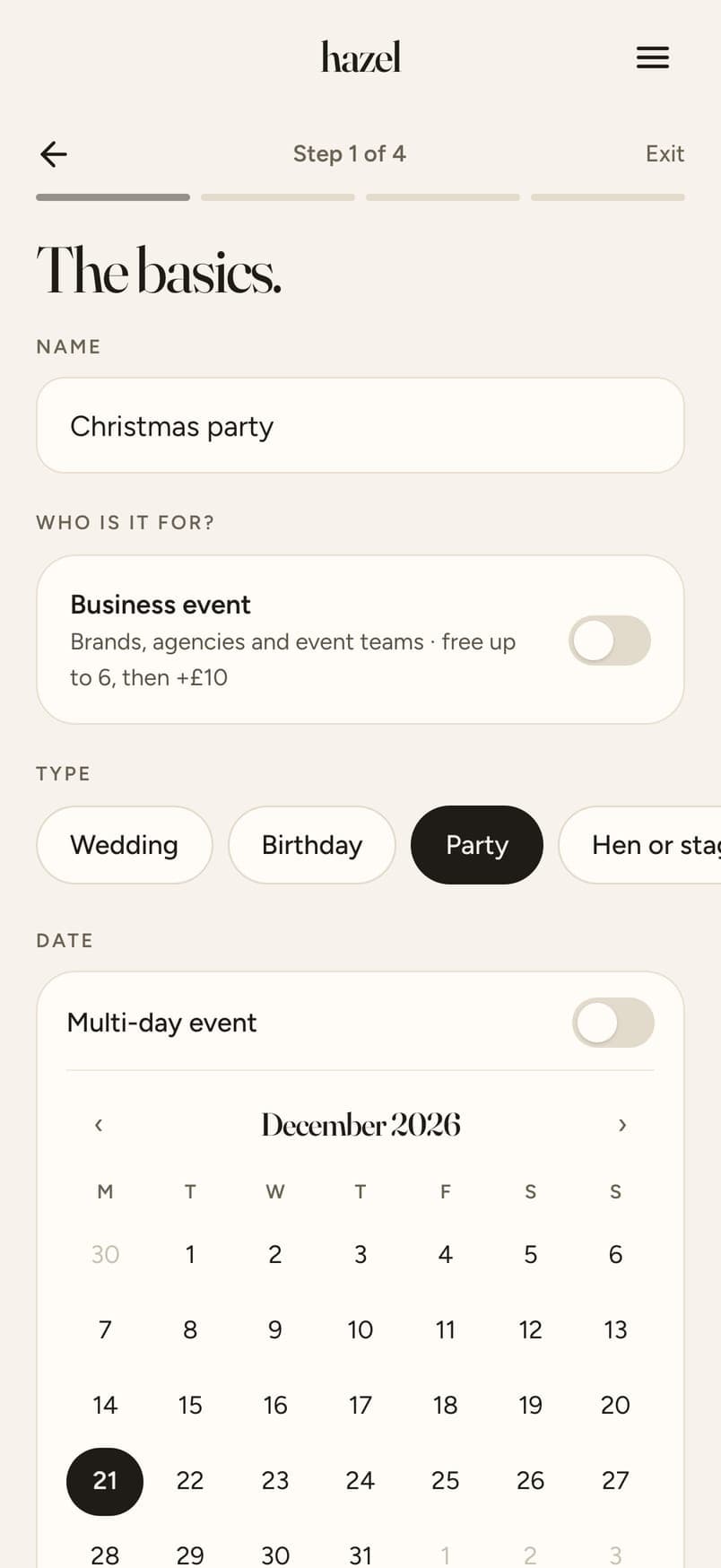
Make the event
The christening, the reunion, Mum's 70th, the week in Cornwall. Name it, set the dates, say roughly how many people.
Guide
Christenings, reunions, big birthdays, the holiday. Everyone's photos, one link, full size. Updated 15 October 2026.
The short answer
A family photo sharing app collects the photos everyone took at a family occasion into one place, so the christening isn't scattered across six phones and two WhatsApp groups. hazel does it without an app: you make an event and send one link, or print a QR code for the table. Each person, grandparents included, taps it, gives a first name and an email, and adds their photos from their phone. Every photo arrives at full size, not squashed by a chat app. You see everything first, choose what goes in, and share one Album with the whole family, including the people who couldn't be there. It's private, kept for a year, and free for gatherings of up to 6 people.
Planning a party or a trip instead? See event photo sharing for parties, trips and work dos, and print a free QR code sign for the table.
Grandad won't download an app and shouldn't have to. The link opens in the browser his phone already has, on iPhone or Android, and the first photo is two taps away.
A family is rarely in one place. The link works from anywhere, so the cousins in Australia add their photos of the holiday the same way as the ones in the room.
Only people with the link can see the Album, nothing is public, and it's kept for a year with full-size downloads. No ads, no faces scanned, no photos used for anything.
The christening, the reunion, Mum's 70th, the week in Cornwall. Name it, set the dates, say roughly how many people.
Paste it into the family group, or add emails and hazel sends the invites. For the day itself, a printed QR code on the table, free.
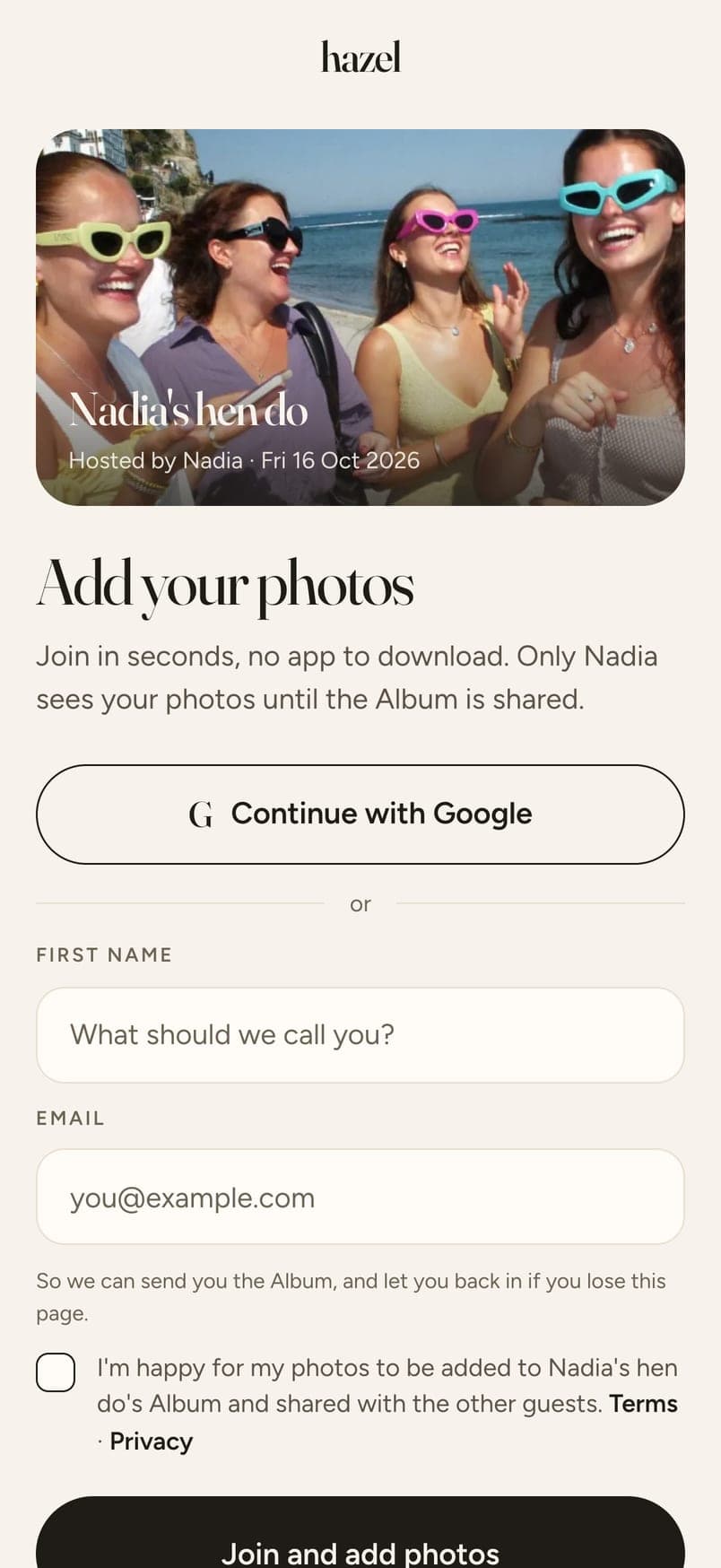
From the camera roll or the camera, and they see each one before it uploads. Every photo arrives at the size the phone took it.

Go through everything, switch off the ones that shouldn't go, and share one Album. Everyone who added photos gets it, and you get a link for the rest of the family.

Swipe for the next step →
Make the event
The christening, the reunion, Mum's 70th, the week in Cornwall. Name it, set the dates, say roughly how many people.
Send one link
Paste it into the family group, or add emails and hazel sends the invites. For the day itself, a printed QR code on the table, free.
Everyone adds their photos
From the camera roll or the camera, and they see each one before it uploads. Every photo arrives at the size the phone took it.
Choose, then share
Go through everything, switch off the ones that shouldn't go, and share one Album. Everyone who added photos gets it, and you get a link for the rest of the family.
How these generally work; features differ from one app to the next.
Free for up to 6 guests. $4.49 for up to 20, $12.99 for up to 40, $19.99 for up to 60, $32.99 for up to 100 and $64.99 for up to 200. Paid once, no subscription. Every guest gets 12 photos included; more photos and video clips are optional extras.
hazel is free for gatherings of up to 6 people, with everything the paid sizes have, and it's a web app, so nobody downloads anything. Bigger gatherings pay once, from $4.49 for up to 20 people.
No. The link opens in the browser on any phone. A first name and an email, then photos. If someone can't manage the link, anyone else can add their photos for them.
No. The link works from anywhere in the world, for as long as uploads are open. Set the dates to cover the whole holiday or the weekend.
Yes. Only people with the link can see the Album, nothing is public, no faces are recognised and the photos are never used for anything. You can send a view-only link to people who weren't there.
Yes. Each photo arrives exactly as the phone took it, and everything can be downloaded in one go, which is easiest on a computer.
A year from when uploads close, for every event. Keep them for another year with a one-off payment, or download everything at any time.
Five minutes to set up, nothing for anyone to download. Free for up to 6 people.
Create your eventMore