Make your wedding's page
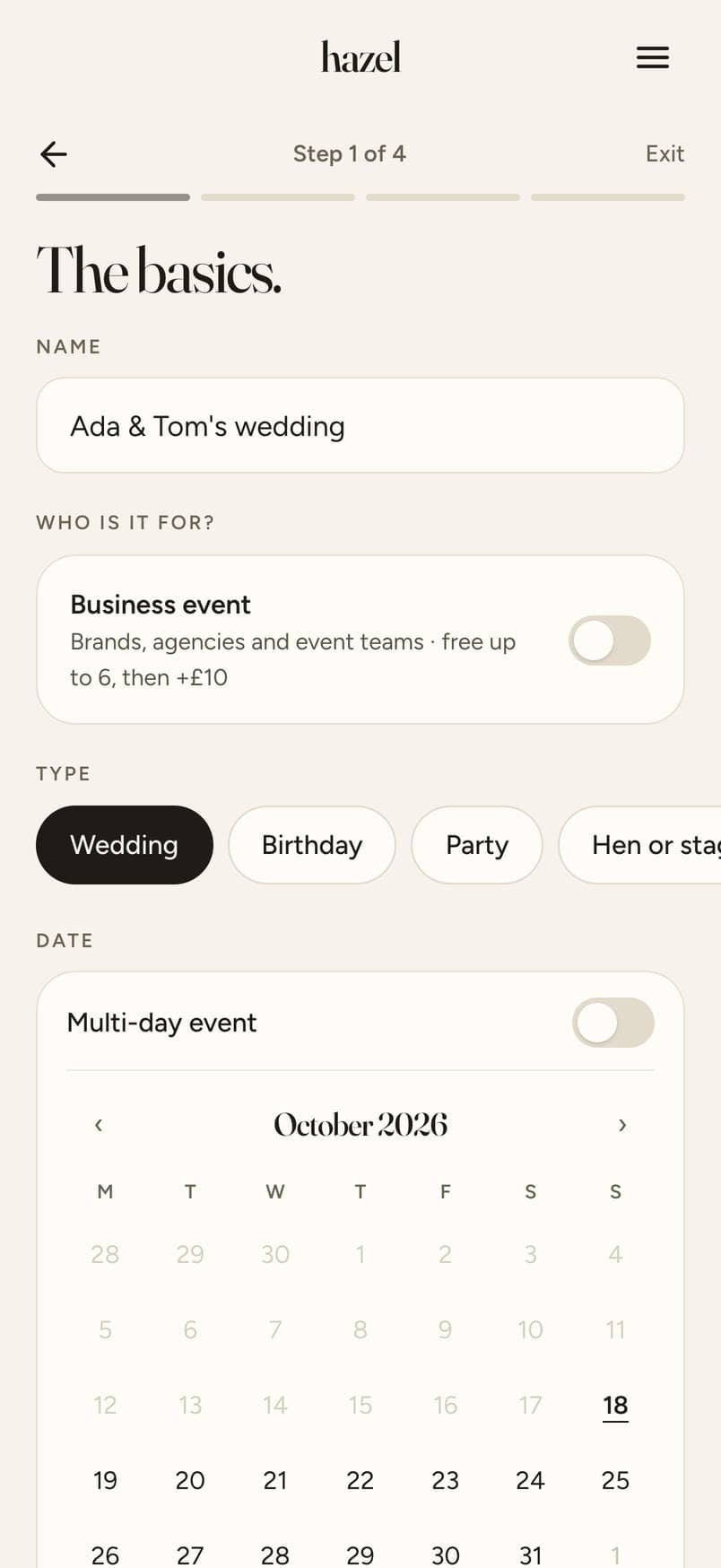
Create your event on hazel in five minutes. You get a link and a QR code that are yours.
Guide
A link or a QR code, the phone's own browser, and every guest's photos in one Album. Updated 15 October 2026.
The short answer
Wedding photo sharing with no app means your guests never download or install anything. With hazel, each guest taps the link you send, opens the email invite, or scans the QR code on a sign or table card, and your wedding's page opens in the browser they already have on their phone. They give a first name and an email, add photos from their camera roll or take one with the phone's own camera, and see each photo before it uploads. Every photo arrives at full size in your Album. It works the same on iPhone and Android, there is no account for guests to make, and it's free for up to 6 guests, with larger weddings priced once, in your own currency.
Guests join by scanning a QR code sign on the table, and afterwards you have every guest's photos in one Album.
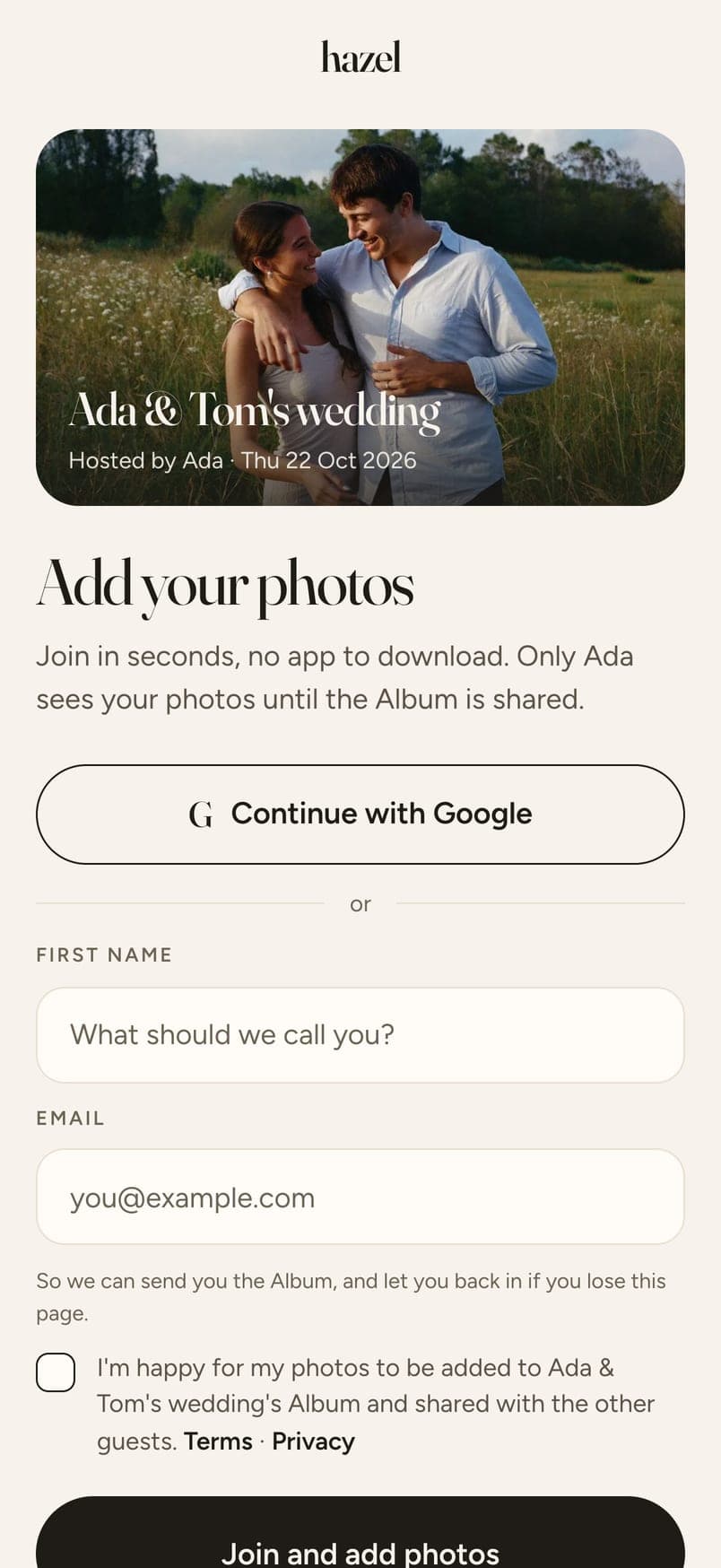
Half your guests won't download an app for one day, and the other half won't remember their App Store password. A link they tap, or a code they scan, gets everyone in.
iPhone, Android, an older phone with no space left. The page opens in the browser the phone already has, so there's nothing to update or run out of room for.
A sign on the table says scan to add your photos. No instructions, no help desk, no one hunting for the right app at the bar.
Create your event on hazel in five minutes. You get a link and a QR code that are yours.
Send the link by WhatsApp, let hazel email the invites, or put the QR code on your signs. Each opens your page in the phone's browser.
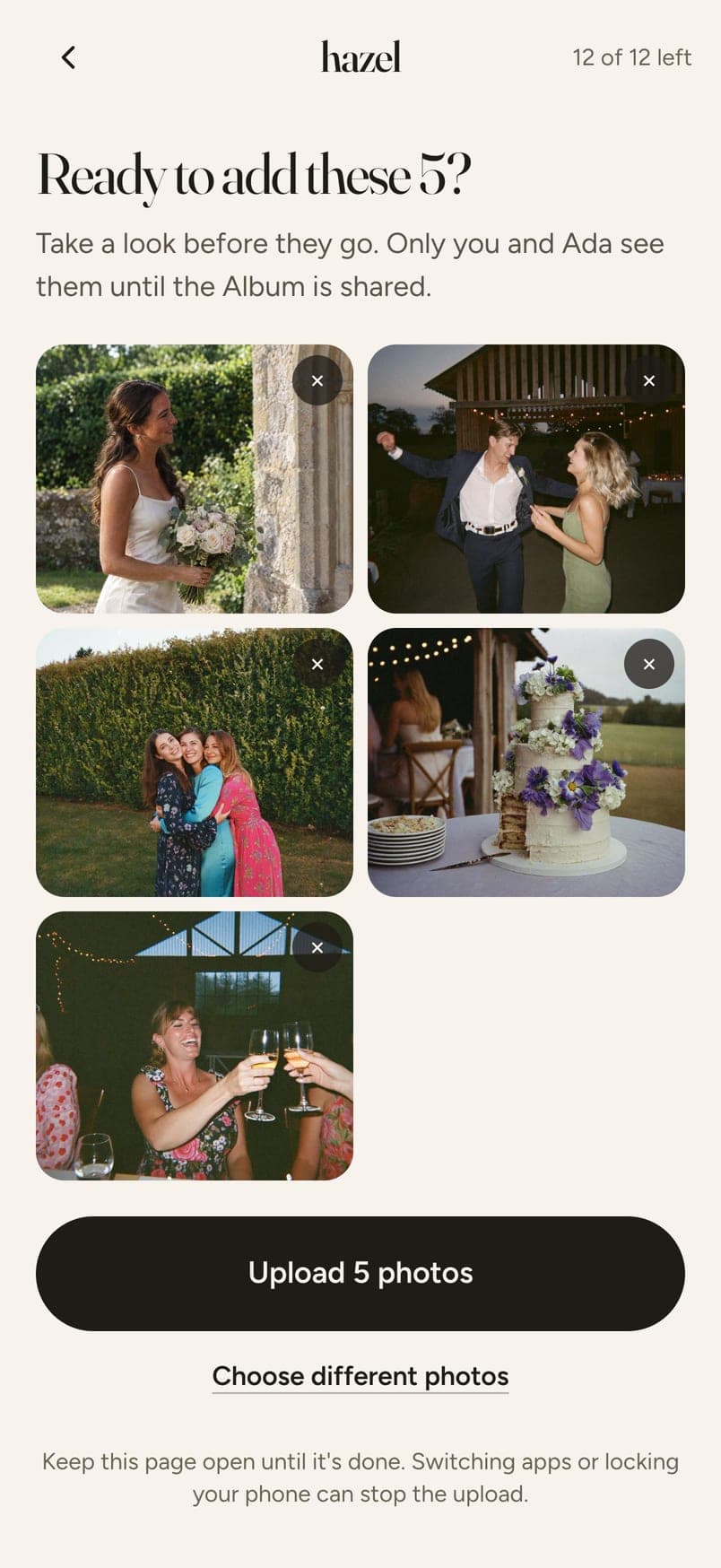
Guests pick photos from their camera roll or take one with the phone's own camera, and see each photo before it uploads. Nothing goes in by accident.
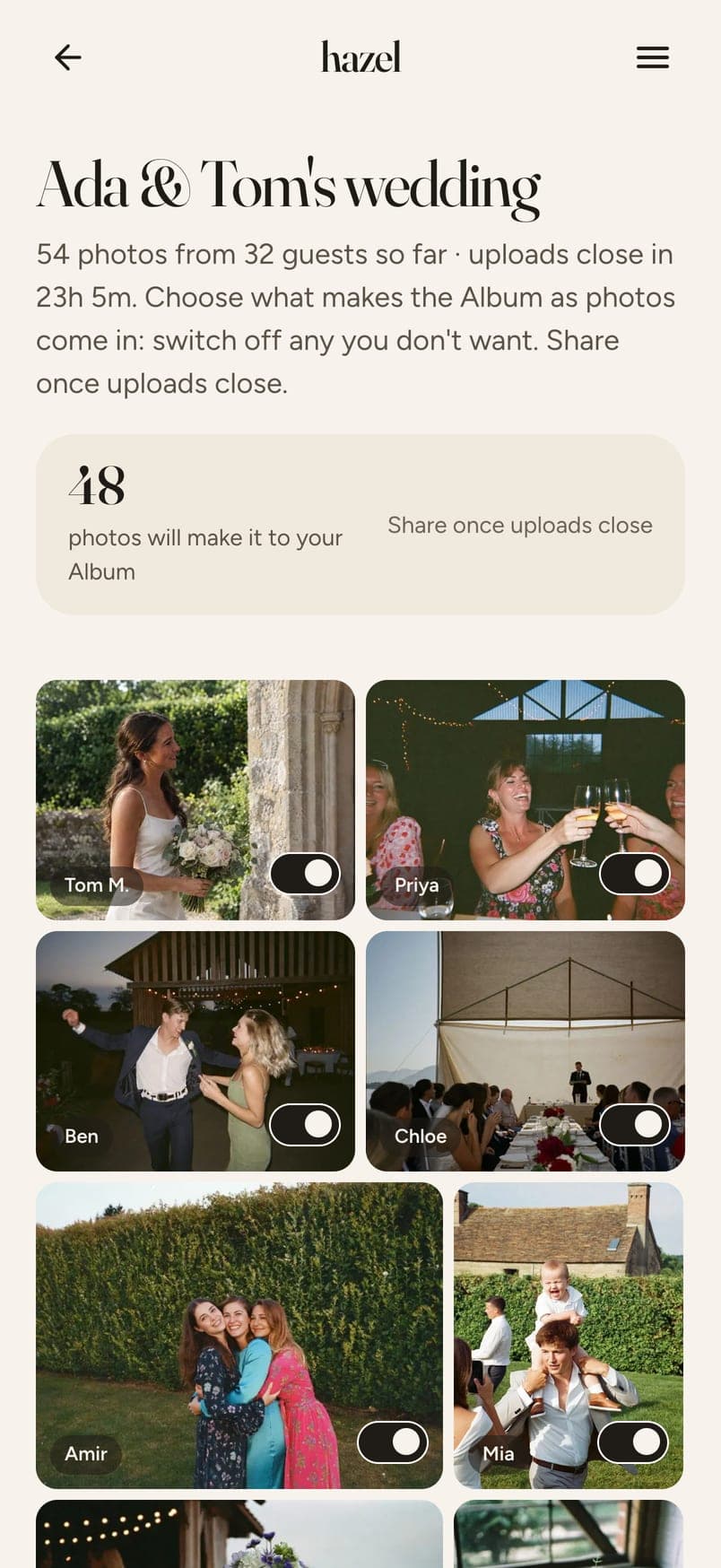
After the wedding you go through every photo, one switch each, pick a look for the whole Album, and share one link. Everyone who added photos gets it automatically.
Swipe for the next step →
Make your wedding's page
Create your event on hazel in five minutes. You get a link and a QR code that are yours.
Guests tap, open or scan
Send the link by WhatsApp, let hazel email the invites, or put the QR code on your signs. Each opens your page in the phone's browser.
They check, then add
Guests pick photos from their camera roll or take one with the phone's own camera, and see each photo before it uploads. Nothing goes in by accident.
You choose, then share
After the wedding you go through every photo, one switch each, pick a look for the whole Album, and share one link. Everyone who added photos gets it automatically.
How these generally work; features differ from one service to the next.
This is the whole of it for a guest: the page opens, they add photos, they check each one. No app icon, no sign-up, no password. On the day, the QR code sits on the signs and table cards hazel makes for you, free, with your names and date already on.
Free for up to 6 guests. $4.49 for up to 20, $12.99 for up to 40, $19.99 for up to 60, $32.99 for up to 100 and $64.99 for up to 200. Paid once, no subscription. Every guest gets 12 photos included; more photos and video clips are optional extras.
Yes, this is one. hazel is a web app, so there's nothing to download for you or your guests. It's free for up to 6 guests, and from $4.49 for larger weddings, paid once.
No. A first name and an email, so you know whose photos are whose. No password, no verification code, no app.
Yes. The page opens in whatever browser the phone has, so it works the same on both, and on older phones with no space for another app.
Both. Send the link before the day by WhatsApp, iMessage or email invites, and put the QR code on the signs and table cards for the day itself. Either one opens the same page.
Yes, if you add video when you set up. Short clips of up to 60 seconds, added the same way as photos, and they play on any phone.
Everyone who added photos gets the Album link automatically when you share it. You also get a view-only link for people who weren't there.
Five minutes to set up, nothing for your guests to download. Priced by how many guests you have.
Create your eventMore