Make your event
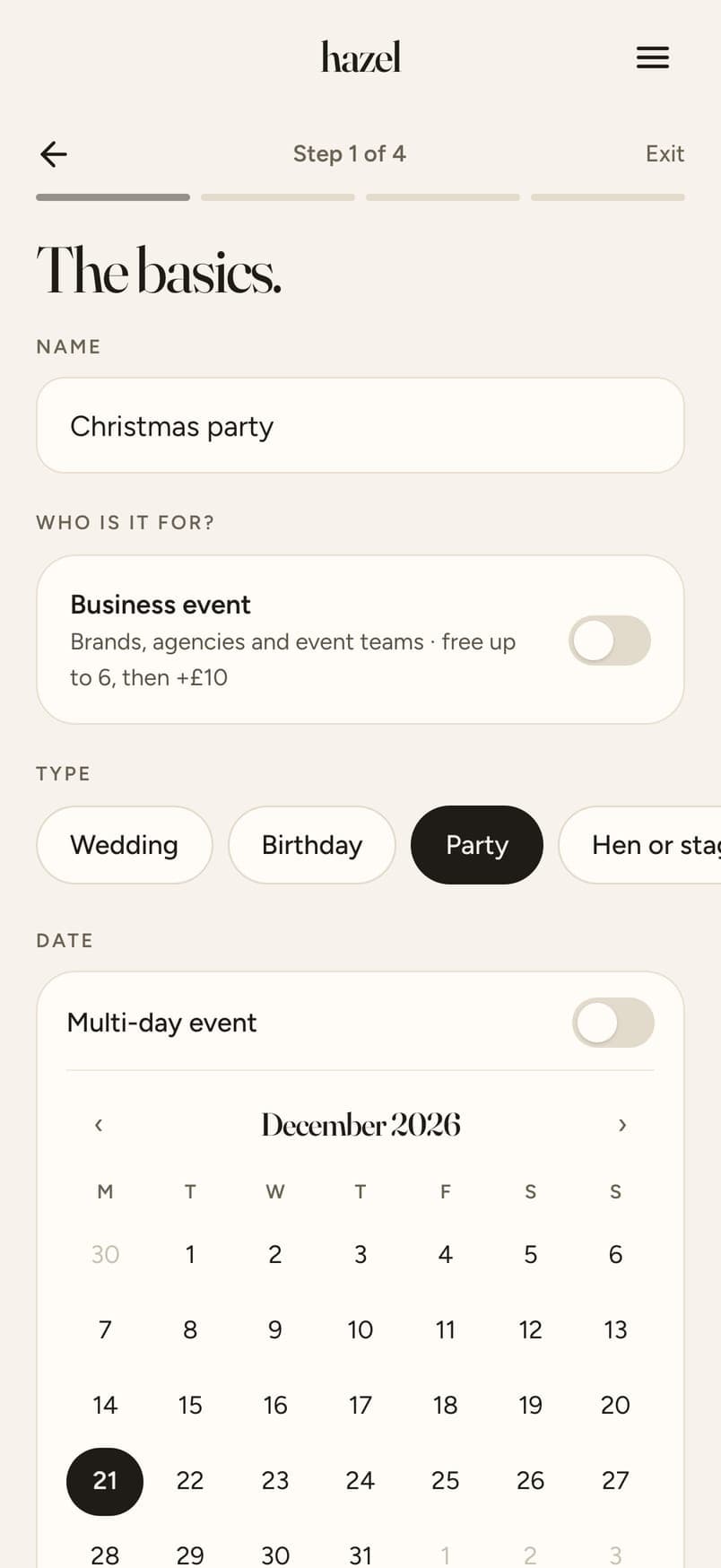
Name it, set the dates (a trip can run for days), choose roughly how many people. Five minutes.
Guide
Parties, birthdays, trips, work events. One link, one Album, nothing to download. Updated 15 October 2026.
The short answer
Event photo sharing is collecting the photos everyone takes at a party, a birthday, a trip or a work event into one place, instead of chasing them across group chats. With hazel you make an event in five minutes and get a link and a QR code. Guests tap the link, open the email invite or scan the code on a sign, and your event's page opens in their phone's browser: no app, no account. They add photos from their camera roll or their phone's camera, see each one before it uploads, and every photo arrives at full size. You go through everything, switch off anything you'd rather not share, and send one Album to everyone. Free for up to 6 guests; bigger events pay once, priced by how many people come.
Print a free QR code sign for any event, or, for a christening or a reunion, see family photo sharing with no app.
A party has three friendship groups and your parents. A work event has people who've never swapped numbers. One link needs no group and no numbers.
Chat apps shrink photos as they send. Photos added to hazel arrive exactly as the phone took them, so the good ones are worth keeping.
Photos come to you first. The one someone would rather forget never reaches the Album, because you choose what goes in before anyone sees it.
Name it, set the dates (a trip can run for days), choose roughly how many people. Five minutes.
Paste the link into whatever chat you have, add emails and hazel sends the invites, or print a sign with the QR code on it, free.

The page opens in their browser. A first name and an email, then photos from the camera roll or the camera. They see each one before it uploads.

One switch per photo, a look for the whole Album if you like, then one link to everyone who came. You also get a view-only link for people who couldn't make it.

Swipe for the next step →
Make your event
Name it, set the dates (a trip can run for days), choose roughly how many people. Five minutes.
Share the link or the QR code
Paste the link into whatever chat you have, add emails and hazel sends the invites, or print a sign with the QR code on it, free.
Guests add their photos
The page opens in their browser. A first name and an email, then photos from the camera roll or the camera. They see each one before it uploads.
You choose, then share
One switch per photo, a look for the whole Album if you like, then one link to everyone who came. You also get a view-only link for people who couldn't make it.
How these generally work; features differ from one app to the next.
Free for up to 6 guests. $4.49 for up to 20, $12.99 for up to 40, $19.99 for up to 60, $32.99 for up to 100 and $64.99 for up to 200. Paid once, no subscription. Every guest gets 12 photos included; more photos and video clips are optional extras.
hazel is free for events with up to 6 guests, with everything the paid sizes have. It's a web app, so there's nothing to download for you or your guests. Bigger events pay once, from $4.49.
No. The QR code opens your event's page in the phone's browser, the same as the link does. Guests give a first name and an email and add their photos.
No, and that's deliberate. Photos come to you first, so nothing embarrassing goes out in the middle of the night. Guests see their own photos as they add them, and the whole Album once you share it, usually the next morning.
Yes. Set the dates when you make the event; up to two days is included, and longer trips cost a little more per day. Uploads stay open until the end, and you can extend them for up to a week after.
Yes. Make it a business event: your company name on the page and the emails, your logo, the option to keep the Album private so photos come only to you, and guests agree at join that you may use their photos in your marketing.
No. An event is a link, so people can add photos from anywhere. A company with several offices, a family across three countries, a club collecting photos from every member.
Five minutes to set up, nothing for your guests to download. Priced by how many people come.
Create your eventMore